Content teams often spend a large part of their time on routine work around publishing. AI content management can reduce this workload, but it works best as part of a controlled editorial process rather than as an independent content creator.
What problem does content AI solve?
AI can prepare first drafts of meta text or page summaries. It can also suggest improvements based on the content already available in Umbraco. This is useful when editors repeat the same task across many pages. Instead of starting from an empty field, they review a prepared suggestion and decide whether it is suitable for publication.
When does AI content automation make business sense?
AI content management fits teams that handle a high volume of pages or coordinate updates across several markets. The clearest benefit is a shorter publishing cycle, especially when editors repeatedly perform the same drafting, summarisation or optimisation tasks across large volumes of content.
When may a standard content workflow be enough?
A business that publishes only a few pages each month may gain little from AI content automation. Templates and clearly configured content fields can already make the process efficient.
The same applies to multilingual workflows. UKAD, for example, uses Translation Manager in Umbraco to manage translated content within the CMS. A specialised workflow like this may be more predictable than introducing AI into every stage of translation.
What does implementation require?
The Umbraco AI features for editors include reusable Property Prompts that appear next to selected content fields. They are configured in advance for specific tasks, such as shortening an introduction or improving readability, so editors do not need to write a new prompt each time.
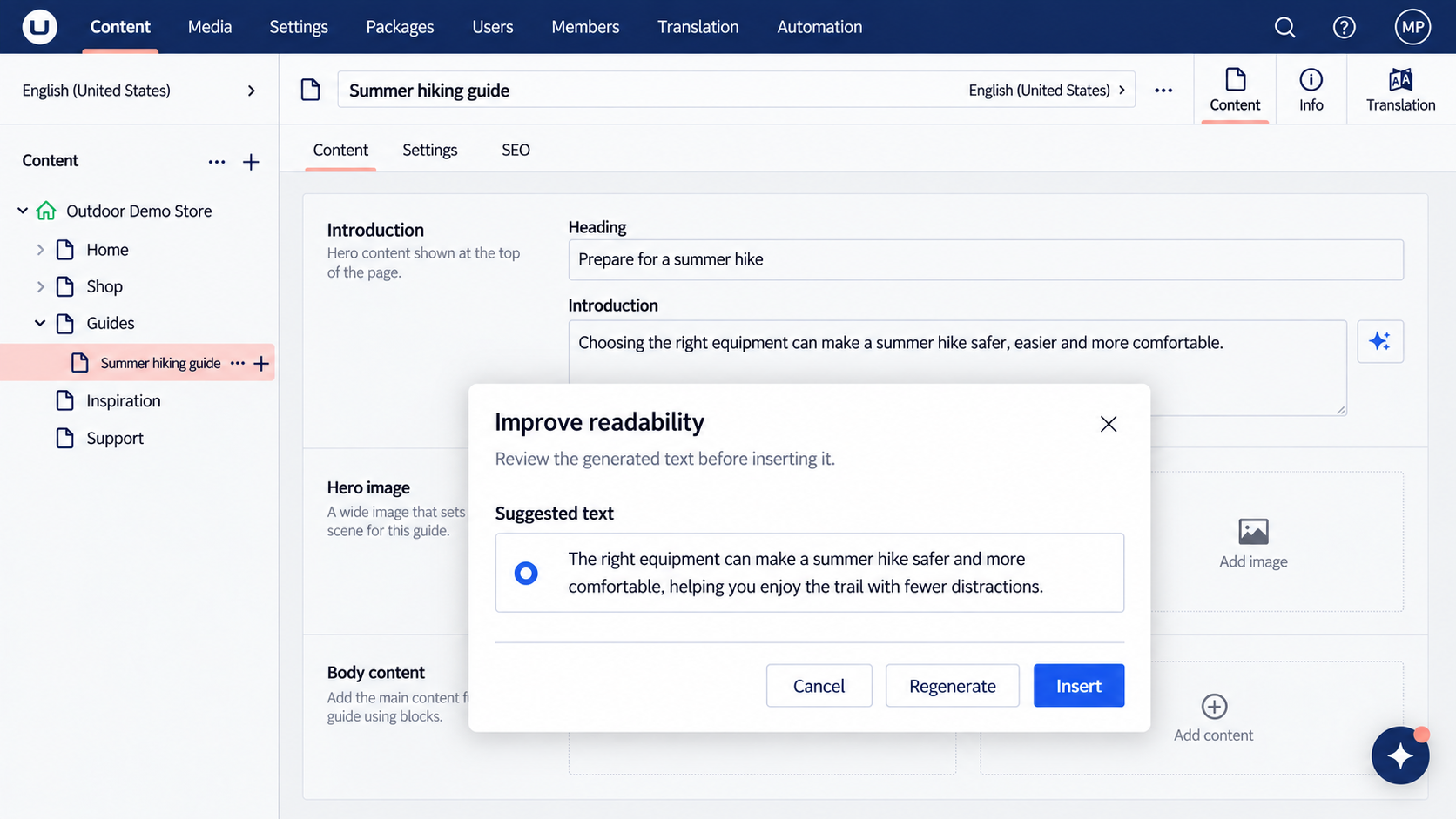 Illustrative Property Prompt workflow in the Umbraco backoffice: an editor reviews generated text before inserting it.
Each prompt should reflect the purpose of the field and the expected tone. Editors remain in control: they can review, regenerate or reject suggestions before applying them to a field, while publishing remains a separate editorial action.
For broader editorial tasks, Umbraco Contextual Copilot provides a chat interface inside the backoffice. It works with the content or media item currently open and can suggest changes to specific fields.
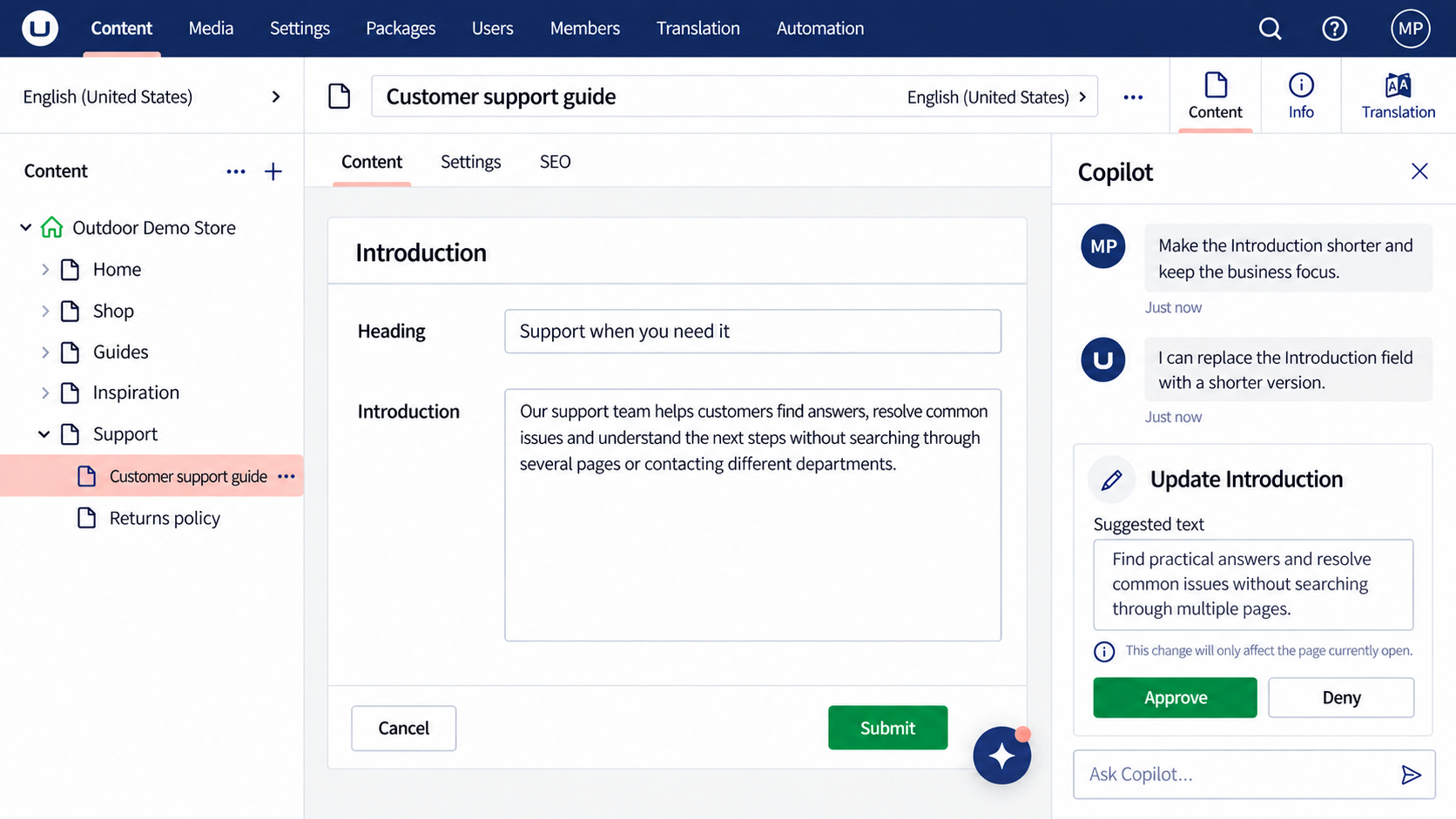 Illustrative Umbraco backoffice workflow: Copilot suggests an update to the current field and asks for approval before applying it.
Both tools send content to the AI provider selected by the organisation. The business therefore needs to decide what information may be processed and configure appropriate guardrails before introducing these features to editors.
How can the result be measured?
Start by measuring how long a typical page takes to prepare and approve. The same process can then be tested with AI assistance. The result should show whether editors complete the work faster without creating additional review effort. The acceptance rate of AI suggestions can also indicate whether the workflow is genuinely useful or simply adds another step.